How to inspect a MethodSpec signature without code
So much time has passed since the last time I wrote here. It’s not that I did not have anything to write, but it probably was not important enough to me. I hope that I will continue writing more often.
This time I will write something short that may help some people.
Why do you ever need it and why without code?
For the first part, I can think of various reasons, but I’m sure that if you read it, you know why you need it. Still, I will write two reasons why you might need it. One is for learning purposes and two, for writing these signatures yourself if is part of your work project.
For the second part, I find it easier to have a UI tool for debugging sessions when you want to understand what signatures look like, instead of using libraries like dnlib to do that. But, if you prefer the code way, it’s ok.
But first, let’s start with some background.
What is a MethodSpec?
A MethodSpec is a method that represents a specific instantiation of a generic method.
In the metadata, there are two tables for methods (among other tables) one is the MethodDef table - for methods that are defined in the assembly, and the other one is a MemberRef table for methods that are defined in a referenced assembly.
Now let’s talk about generic methods. If there is a method that defined in a generic form, for example:
void Foo<T>(T t){}The method will have an entry in the appropriating method table in the open form (MethodDefOrRef), meaning that this method does not define who is the generic parameter T.
Once in someplace in the code, there will be a usage of this generic method, e.g.
Foo<string>(myString)Then it will create an entry to the MethodSpec table. (There is a difference if the generic parameter is a value type or reference type, but is not important for this example).
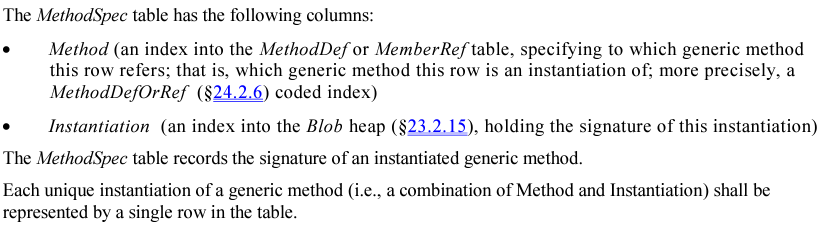
MethodSpec table contains two columns. One for the parent method (that is, a MethodDef or MemberRef (MethodDefOrRef) that represent the open form of this generic method), and the second for the specific method instantiation. I’ll explain it in a bit.
What is a MethodSpec signature?
A method signature is a way to represent the identity of the method. It contains some info (it’s depending on the signature type) like return type, generic parameters, regular parameters, and more.
A MethodSpec signature is, as the name says, a signature for a specific generic method. It contains a special value for the calling convention that says that this method is a generic method instantiation, then the number of generic parameters, and then the generic parameter types. (Other info exists in the MethodDefOrRef signature).

The instantiation that I wrote above is the signature of a specific generic method.
So to summarize, a MethodSpec represents a specific generic method instantiation, by piecing together a reference to the open generic method (the MethodDefOrRef) and the type information for this specific generic method instantiation.
But it is a little tricky to get the instantiation because it’s not written in the column itself, but the column contains an index to the Blob stream, which is a binary stream, so no easy way to understand what a MethodSpec instantiation looks like.
And as I wrote at the beginning, the whole point is that you want to see what the signature looks like, whether for learning or whether you are debugging a signature you wrote yourself.
How to use a tool to inspect a MethodSpec signature?
There are various disassembler tools that you can use to learn about metadata, Ildasm, ILSpy, dotPeek, and more.
But the maximum valuable info that those tools will give you related to MethodSpec instantiation is the representable text of the signature. i.e. Foo<string>(string), and not the bytes from the blob stream, so all of those tools are not so helpful for this task.
There are other types of tools that can read and understand PE’s and .NET file structure so you can use them to look at the blob stream. It will work, but it’s not a quick and easy way to find the right offset.
Other tools are debugging tools, and we are not talking here about this, but on static assembly tools.
The only two tools (that I’m familiar with it) that will give you the full info in an easy way are dnSpy and CFF Explorer!
They are pretty amazing tools (you probably already knew that if you ever used them) and must-have tools for this kind of project.
It’s very similar to inspecting metadata in both of them.
To use dnSpy to find anything in the blob stream (yes, I talked about MethodSpec signature, but it’s just for the example, you can find whatever is important to you), find the required offset, go to the blob stream under the PE, then right-click and choose “Show Data in HEX Editor”, then ctrl+g, write the required offset and choose in the box, “Current Position”.
For MethodSpec it will be like the following:
- Find the method in the MethodDef or MemberRef table
- Go to the relevant MethodSpec entry (where ‘method’ column point to the right method)
- Copy the instantiation column value (is the offset into the blob stream)
- Go to the Blob stream and right-click + “Show Data in HEX Editor”
- ctrl+g and paste the offset value, then choose “Current Position”
- You will jump to the place of the bytes that represent the specific generic method instantiation!
And in CFF Explorer:
- Find the method in the MethodDef or MemberRef table
- Go to the relevant MethodSpec entry (where ‘method’ column point to the right method)
- Copy the instantiation column value (is the offset into the blob stream)
- Go to the Blob stream
- Click on the arrow icon (Go To Offset) and paste the offset value
- You will jump to the place of the bytes that represent the specific generic method instantiation!
Let’s see the instantiation for an example method and what each byte represents.
Foo<struct>(myStruct s)In the Blob stream it will look like this:

05 - length of signature 0A - IMAGE_CEE_CS_CALLCONV_GENERICINST 01 - number of generic parameters 11 - ELEMENT_TYPE_VALUETYPE 80 A4 - coded token of the TypeDefOrRef ‘myStruct’